1Password vs Have I Been Pwned: Prevention and Detection Are Different Jobs
1Password manages unique credentials; Have I Been Pwned detects known exposure. This practical comparison explains when to use either tool—and why many people need both.
A password manager and a breach checker both belong in a security toolkit, but they solve different problems. 1Password helps prevent weak or reused credentials from becoming the easiest route into an account. Have I Been Pwned helps you discover when an email address or password has already appeared in known breach data.
The useful question is not which service is universally better. It is whether you need ongoing credential management, a quick exposure check, or both.
The short answer
Choose 1Password when you want one place to generate, store, autofill, and share unique credentials across devices. Choose Have I Been Pwned when you want to check whether an email address has appeared in known breaches or receive notifications about future exposure.
For most people, the strongest setup is complementary: use Have I Been Pwned to detect evidence of exposure, then use a password manager to make sure one leaked password cannot unlock other accounts.
| Question | 1Password | Have I Been Pwned |
|---|---|---|
| Primary job | Create, store, autofill, and share credentials | Search known breach data and send exposure alerts |
| Best moment to use it | Every time you create or sign in to an account | During a security checkup and after receiving a breach alert |
| Cost model | Paid subscription after a 14-day trial | Free email lookup and breach notifications for individuals |
| Account requirement | A 1Password account is required | One-off lookup does not require an account; notifications require email verification |
| Main limitation | Requires setup, migration, and an ongoing subscription | Detects known exposure but does not replace or manage credentials |
Why 1Password is the stronger everyday tool
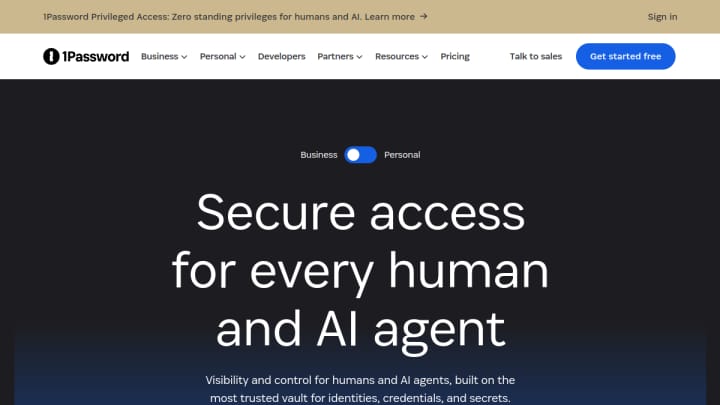
The practical value of 1Password is repetition. It can generate a different password for every service, store those credentials in an encrypted vault, and autofill them in supported browsers and apps. That removes the memory burden that often leads people to reuse a familiar password.
Its Watchtower feature also warns about weak or compromised credentials, bringing some monitoring into the same workflow. The current individual and family plans include desktop, mobile, and major-browser support, secure sharing, and a 14-day trial; pricing can change, so check the official 1Password plans before subscribing.
The tradeoff is commitment. You need to create an account, import or add existing logins, install the relevant apps or browser extension, and learn how recovery works. It is most valuable when you are willing to use it consistently rather than treating it as a one-time audit.
Where Have I Been Pwned is more useful
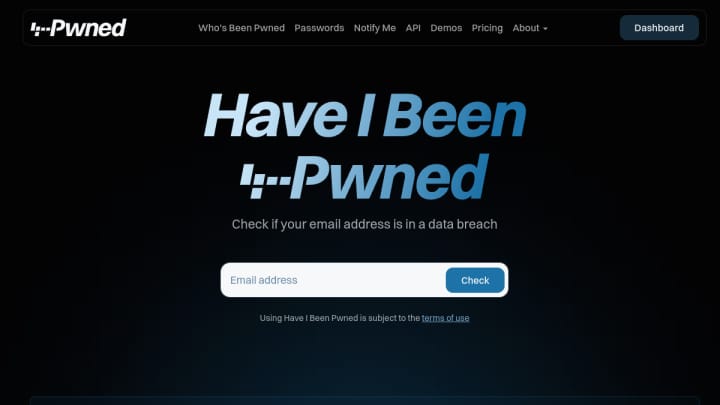
Have I Been Pwned is the faster diagnostic tool. Enter an email address to see whether it appears in breach datasets indexed by the service. Its separate Pwned Passwords search can indicate whether a password has appeared in breach data without associating that password with personal identity data; the service explains the handling and limitations in its official FAQ.
You can also enable free breach notifications after verifying control of an email address. That makes the service useful even after an initial clean result.
The important limitation is scope. A result tells you about exposure found in the datasets available to the service. A clean result is not proof that an address or account has never been compromised, and the tool cannot change passwords, store passkeys, or prevent reuse.
Which one should you choose?
Choose 1Password if
- you reuse passwords because remembering unique credentials is difficult;
- you sign in across several browsers, phones, or computers;
- you need to share selected credentials with family or coworkers;
- you want credential generation, autofill, and ongoing vault management in one workflow.
Choose Have I Been Pwned if
- you want a quick, free check for a personal email address;
- you have received a suspicious login alert and want more context;
- you want notifications when the service indexes a future breach involving your address;
- you already use another password manager and only need an independent exposure check.
Use both if
- you want breach detection and a practical way to act on the result;
- you manage many accounts and need unique credentials for each one;
- you are doing a broader personal-security cleanup rather than solving a single login problem.
A practical five-minute workflow
- Search your main email address with Have I Been Pwned.
- Review any listed breaches and change credentials at affected services from their official sites.
- Replace reused passwords with unique ones generated and saved by 1Password or another trusted password manager.
- Enable multi-factor authentication or passkeys where the service supports them.
- Verify your email for Have I Been Pwned notifications so future exposure is easier to spot.
Neither product is a complete security guarantee. Together, however, they cover two concrete jobs unusually well: finding known exposure and reducing the damage a reused credential can cause. Browse more tools in Whimera's cybersecurity and privacy collection.