Fontjoy or Kittl? Choose a Font Pairing Tool or a Full Design Workspace
Fontjoy and Kittl both help shape a visual identity, but one starts with type relationships while the other is a broader design workspace. Use this guide to choose the lighter starting point or the fuller production canvas.
Fontjoy or Kittl? Choose a Font Pairing Tool or a Full Design Workspace
A brand draft often gets stuck before the first layout is even made: the headline, body copy, and supporting text do not feel like they belong together. That is a narrower problem than making a logo, a mockup, or a social post. Fontjoy and Kittl sit in the same design neighborhood, but they make very different starting points.
Start with Fontjoy when type is the decision
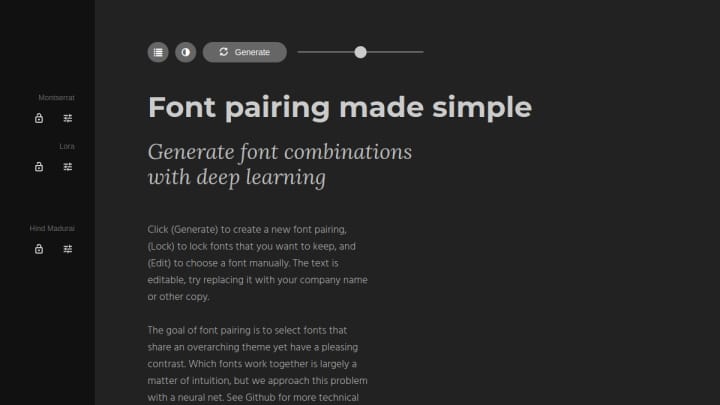
Fontjoy is a focused public browser interface for generating font combinations. Its useful constraint is the workflow: generate a set, lock the typeface that feels right, change the sample copy, and regenerate around that choice. The official site describes the matching approach as a neural-network-based way to create contrast while keeping an overarching theme.
That makes it a good first stop when you already have a concept but need to choose a display face and a text face. There is no project structure to learn and no canvas asking you to solve the rest of the brand at the same time. The trade-off is equally clear: Fontjoy helps select and preview type relationships; it is not where you assemble the finished asset.
Use Kittl when the pairing needs to become an asset
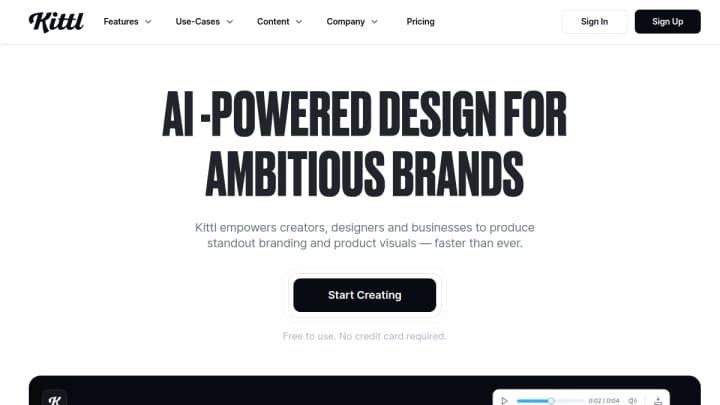
Kittl is the broader option. Its current product site positions it as a workspace for branding, templates, fonts, graphics, mockups, vector editing, collaboration, and AI-assisted creative tasks. Its free plan is real but constrained: the official pricing information lists five projects and a one-time allocation of AI tokens, with more capacity on paid plans. It also requires an account.
That breadth is valuable when the question is no longer only “which fonts work together?” If you need to try the type on a label, build a social graphic, use a template, or keep several design assets in a project, Kittl gives the pairing somewhere to go. It is a heavier starting point for a quick typography decision, though.
The practical choice
Choose Fontjoy if you want a fast, no-account way to explore type contrast before opening another design tool. Choose Kittl if you need the pairing inside a larger creation workflow with assets, layout, and export work to follow. They can also work in sequence: test the type direction in Fontjoy, then recreate the chosen combination in the editor where the final design will live.
For current details, check Fontjoy’s interface and Kittl’s product and pricing page.