Merview or Dillinger? Choose Mermaid Diagrams or Cloud-Synced Markdown
Merview and Dillinger are free, no-account Markdown editors with live preview. Choose Merview for Mermaid diagrams and a focused local workspace, or Dillinger when cloud sync and an editor built around long-form technical writing matter more.
Merview or Dillinger? Choose Mermaid Diagrams or Cloud-Synced Markdown
A browser Markdown editor is most useful when it lets you begin before a document becomes a project. Both Merview and Dillinger open without an account, render a live preview, and export a document. The practical difference is where each tool puts its attention: Merview makes diagrams part of a focused local editing surface, while Dillinger adds cloud connections and a more elaborate writing environment.
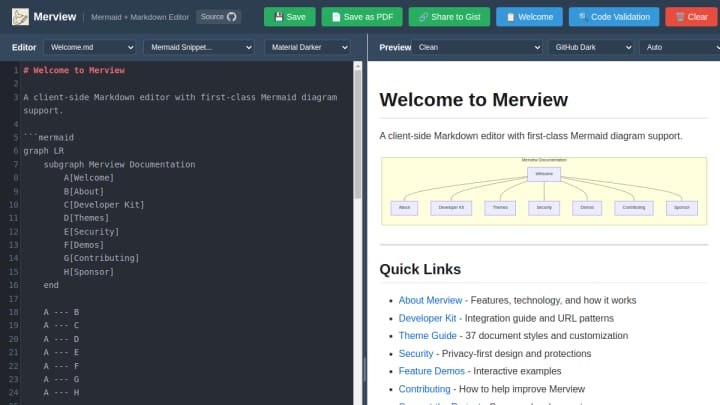
Choose Merview when the document needs diagrams
Merview is a client-side Markdown editor with source and preview panes side by side. Its public editor exposes Mermaid support, code validation, local saving, and PDF export. That makes it a straightforward fit for a short technical brief, project note, or explainer where a flowchart belongs beside the prose.
Its strength is a narrow, legible workflow: write Markdown, see the result, render a diagram, and save or export. There is no account prompt in the editor, and the core actions are visible immediately. The trade-off is that it is not trying to be a full cloud document hub. If your work begins and ends in one browser session or one downloaded PDF, that restraint is helpful.
Merview is listed as free and no-registration in Whimera after a current review of its public editor. It is also open source, with its source link exposed from the app.
Choose Dillinger when the document should travel
Dillinger also starts with a browser editor and a live preview, but its official site emphasizes a broader writing setup. It can connect to GitHub, Dropbox, Google Drive, OneDrive, and Bitbucket; export Markdown, styled HTML, or PDF; and keep drafts in local browser storage. Its official documentation also says the editor can continue working offline after it has loaded.
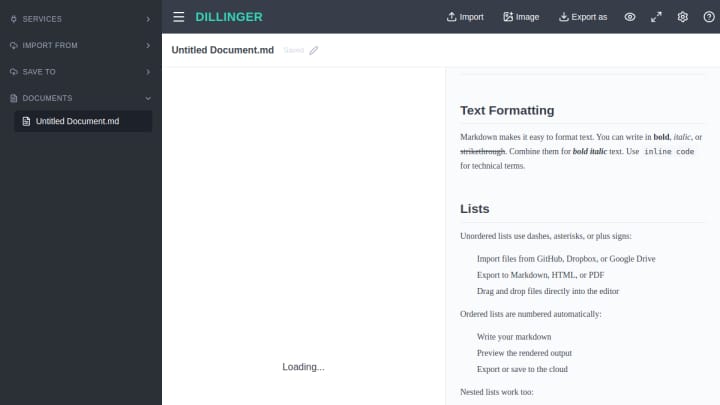
Those connections make Dillinger a better match when Markdown is part of an existing repository or cloud-folder workflow. You can still start without a signup; connecting a third-party service is optional and only becomes relevant when you want syncing or importing. Its larger set of panels and services is useful for recurring documentation, but it adds more surface area than a one-page diagram note needs.
The decision in practice
| If you need... | Pick |
|---|---|
| A focused, no-account Markdown workspace with Mermaid diagrams | Merview |
| A free editor that can connect to existing cloud storage or repositories | Dillinger |
| PDF output from a short, self-contained document | Merview |
| Local drafts plus optional import, export, and cloud sync | Dillinger |
Both are good low-friction choices for Markdown and neither requires an account for the basic editor. Start with Merview when diagrams are central and you want fewer moving parts. Start with Dillinger when your document needs to move into a repository or a connected cloud drive. Before relying on either for sensitive or important work, save a local copy and review the exported file.
For more browser writing tools, browse Documents & Editors.