6 best browser tools for developers that solve one job well
A practical shortlist of CyberChef, JSON Crack, IT-Tools, Mermaid Live Editor, SVGOMG, and Keyscope for common developer tasks.
Small browser tools are at their best when they remove setup from a task that should take two minutes. The six apps below cover data transformation, JSON exploration, everyday IT utilities, diagrams as code, SVG optimization, and keyboard diagnostics.
We selected only tools already represented in Whimera’s catalog and matched each one to a concrete job. Capabilities were checked against official pages and public repositories on August 11, 2026. This is an editorial task-fit guide, not a benchmark or security review, and no placement is sponsored.
The shortlist
| Tool | Open it when you need to… | Why it stands out |
|---|---|---|
| CyberChef | decode, encode, hash, parse, or transform data | Chain operations into a reusable recipe |
| JSON Crack | understand a large structured document | Turn JSON, YAML, XML, or CSV into an interactive graph |
| IT-Tools | perform a small daily conversion or check | Searchable collection instead of scattered bookmarks |
| Mermaid Live Editor | create a technical diagram from text | Source can live beside documentation |
| SVGOMG | optimize a vector asset | Visual control over SVGO cleanup |
| keyscope | diagnose a keyboard or inspect key events | Live key state plus an exportable report |
1. CyberChef for transformation pipelines
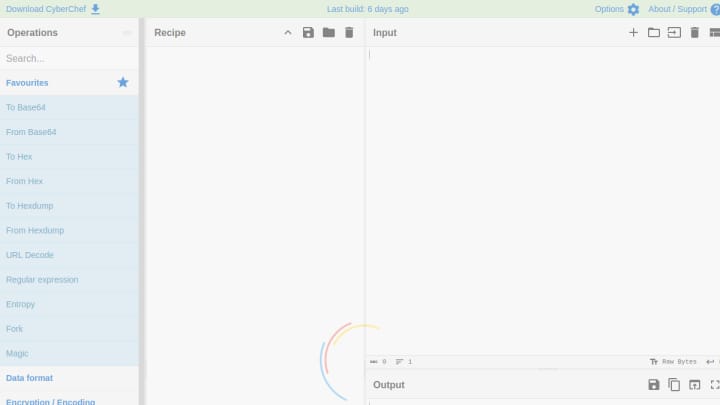
CyberChef is the most capable data workbench in this list. Its official repository describes operations for common encodings, encryption, compression, hashes, checksums, hexdumps, certificate parsing, character sets, and much more.
The important idea is the recipe. Drag operations into an ordered middle column, feed data into the input, and inspect the output as the recipe bakes. Breakpoints help reveal the intermediate state, and a saved or shared recipe turns an improvised fix into a repeatable procedure.
The project says input and recipe configuration are processed client-side and not sent to the CyberChef web server. That is valuable for many workflows, but it is still wise to use a downloaded or approved internal build for highly sensitive data.
Good first tasks: decode Base64, inspect a JWT segment, calculate a hash, convert timestamps, or peel back nested encodings. Read our CyberChef guide for a step-by-step mental model.
2. JSON Crack for seeing structure
JSON Crack solves a different problem: a valid document can still be difficult to understand. The open-source project converts JSON, YAML, XML, and CSV into interactive graphs or trees. It also documents formatting and validation, format conversion, JSON Schema tools, jq and JSONPath queries, code generation, and image export.
Use it when nesting and relationships matter more than individual values. A visual graph can reveal repeated objects, unexpected branches, and schema shapes faster than scrolling through thousands of lines.
3. IT-Tools for the everyday utility drawer
IT-Tools is a searchable collection of focused developer and IT utilities. Its project repository positions it as a set of common tools with a consistent interface. Instead of keeping separate bookmarks for UUID generation, text conversion, network calculations, token inspection, and similar jobs, you get one toolbox.
Collections trade depth for convenience. Use a specialist tool when the task has important edge cases, but use IT-Tools when the alternative is writing a throwaway snippet for a routine conversion.
4. Mermaid Live Editor for diagrams that belong in docs
The Mermaid Live Editor provides a fast feedback loop for Mermaid syntax: edit text on one side and inspect the rendered diagram on the other. It is especially useful for sequence diagrams, flowcharts, state machines, ER diagrams, and Gantt charts that will eventually live in Markdown or technical documentation.
Unlike a screenshot-only diagram, Mermaid source can be reviewed, searched, and changed. Export an SVG for presentation, but keep the source as the maintainable original.
5. SVGOMG for production SVG cleanup
An exported SVG often contains editor metadata, redundant groups, verbose paths, and precision that the final asset does not need. SVGOMG wraps SVGO options in a browser interface and keeps a live preview visible while the markup is optimized.
Treat the preview as part of the workflow. If an SVG depends on element IDs, CSS hooks, animation, or accessibility metadata, aggressive cleanup may remove something important. Save the original and test the optimized asset in its real context.
6. Keyscope for keyboard diagnostics
Keyscope is a Whimera-made keyboard tester. It shows browser key, code, and location information as keys are pressed, keeps a visible state for the layout, helps reveal chatter or stuck inputs, and exports a diagnostic report.
It is useful when reproducing a shortcut issue, checking an unfamiliar keyboard, documenting a hardware fault, or verifying that left/right modifier keys arrive as expected. Browser and operating-system shortcuts can intercept some keys, so the page cannot observe every possible combination.
Use browser tools with a data boundary
Convenience should not erase context. Before pasting a production secret, customer record, private key, or unreleased source into any website, ask whether synthetic data would answer the same question. Check current documentation, deployment provenance, and network behavior when the risk justifies it.
“Runs locally” is useful evidence, not a blanket guarantee about every script, extension, analytics request, or future version. For repeated sensitive work, prefer a pinned, reviewed, self-hosted, or offline build.
The best developer toolbox is not the largest one. It is a small set of tools with clear jobs, known boundaries, and outputs you can verify.